
Folo
Next‑gen information browser that aggregates RSS, social feeds, AI summaries, and a $POWER economy into one timeline.
Introduction
Folo – The Next‑Gen Information Browser
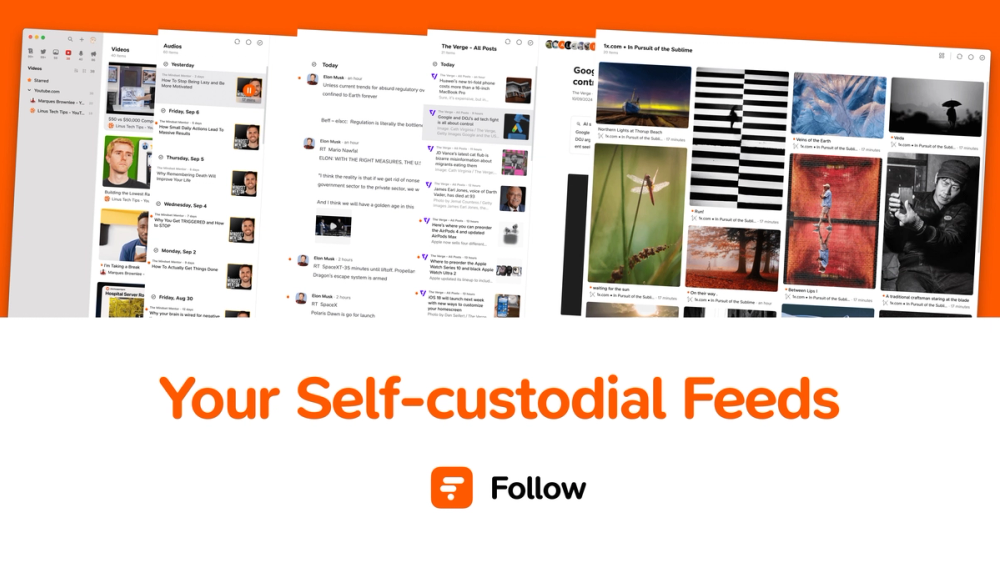
Folo is a unified content‑consumption platform that brings together RSS feeds, social media, videos, podcasts, and AI‑enhanced insights into a single, noise‑free timeline. Powered by RSSHub (5,000+ instances) it lets you subscribe to any source, curate personalized streams, and stay updated on what matters.
Key Features
- Customized Information Hub – Pull feeds from any website via RSSHub, organize them into collections, and share lists with others.
- Dynamic Content Support – Automatic parsing of articles, blogs, videos, podcasts, images, and audio for seamless browsing.
- AI at Your Fingertips – Real‑time translation, auto‑summaries, smart categorisation, and content insights powered by large‑language models.
- $POWER Economy – Tip creators instantly, earn rewards, and unlock premium features using the native $POWER token.
- Community‑Driven – Open‑source code, community‑curated lists, shared collections, and active Discord support.
Use Cases
- Researchers & Professionals – Build a custom feed of journals, news sites, and industry blogs; get AI‑generated summaries to skim quickly.
- Content Creators – Aggregate audience‑generated content, monitor trends, and receive tips via $POWER.
- Students – Combine lecture videos, podcasts, and reading material into one study hub with instant translation.
- Casual Readers – Follow favorite blogs, YouTube channels, and social feeds without the clutter of ads.
Frequently Asked Questions
- What is Folo? A web‑based information browser that unifies RSS, social media, and AI tools into a single timeline.
- What is $POWER? The native token used to tip creators, earn rewards, and unlock premium functionalities.
- Is it free to use? Core features are free; optional premium features are available via $POWER.
- What platforms are supported? All major web browsers; a progressive web app is also available for mobile.
- How do I get started? Visit the website, click Download or Try on Web, connect your RSSHub instance, and start adding feeds.