
Napkin AI
Napkin AI - Turn any text into instantly generated, fully editable visuals for presentations, docs, blogs and more.
Introduction
Napkin AI – Visual AI for Business Storytelling
Napkin AI is a web‑based visual copilot that converts plain text into professional‑looking diagrams, charts, infographics, mind‑maps and other visual assets. It removes the friction of manually designing visuals, letting users focus on ideas while the AI handles layout, styling and iconography.
Key Features
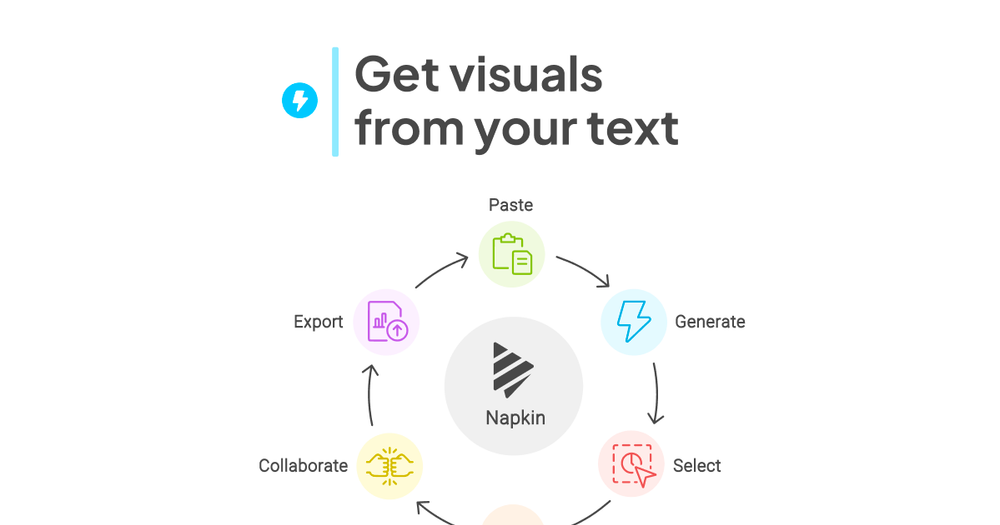
- Text‑to‑Visual Generation – Paste or import any block of text and click the Spark icon to generate a set of relevant visuals instantly.
- Fully Editable Assets – Every generated visual can be customized: swap icons, adjust decorators, change connectors, tweak colors, and select fonts to match brand guidelines.
- Export Options – Export visuals as PPT, PNG, PDF or SVG, and embed them directly into PowerPoint, Google Slides, Canva, Notion, Confluence, Word, etc.
- Team Collaboration – Share a Napkin document, invite teammates to a shared workspace, edit in real‑time, and leave comments directly on text or graphics.
- Multi‑Language Support – Over 60 languages are supported; the AI automatically creates visuals in the language of the source text.
- No Prompt Engineering – Users work with natural language; no need to craft prompts for the AI.
Use Cases
| Scenario | How Napkin Helps |
|---|---|
| Presentations | Generate slide‑ready diagrams, flowcharts and data visualizations that can be exported as PPT or. |
| Blog Posts | Turn long‑form articles into engaging infographics and embed them directly into WordPress, Medium or Substack. |
| Social Media | Create eye‑catching visuals for LinkedIn, X, Instagram or YouTube thumbnails in seconds. |
| Documentation | Enrich internal docs, Confluence pages or Google Docs with clear process maps and architecture diagrams. |
| Team Workshops | Collaborate on mind‑maps and brainstorming boards in real‑time, then export to PDF for distribution. |
Frequently Asked Questions
What makes Napkin different? It works directly from your existing text, eliminating the need for prompt engineering and delivering instantly editable visuals.
Is there a free plan? Yes – a free tier with limited quotas and feature access; paid plans unlock higher limits and advanced collaboration tools.
Can I use it on mobile? Viewing and sharing works on mobile, but creation and editing are currently desktop‑only.
How do I sign up? Click Get Napkin Free and sign up via Google SSO or email/password on the desktop site.
What export formats are available? PPT, PNG, PDF, SVG (JPEG is omitted in favor of higher‑quality PNG).
Why Choose Napkin?
Napkin AI bridges the gap between textual content and visual communication, saving hours of design time while ensuring consistency and professionalism. Whether you’re a marketer, educator, product manager, or developer, Napkin turns ideas into shareable visuals with a single click.
Ready to see your words come to life? [Get Napkin Free](https://app.napkin.ai/signin) and start creating instantly—no download required.