
RecCloud AI
AI-powered platform for speech-to-text, text-to-speech, subtitle generation, and video translation.
Introduction
RecCloud AI – AI‑Powered Audio & Video Workshop for Everyone
RecCloud AI is an all‑in‑one cloud‑based suite that leverages state‑of‑the‑art artificial intelligence to streamline every step of audio and video production. Whether you need to transcribe a lecture, generate natural‑sounding voice‑overs, create multilingual subtitles, or translate entire videos, RecCloud provides fast, accurate, and affordable tools that work directly in the browser – no software download required.
Key Features
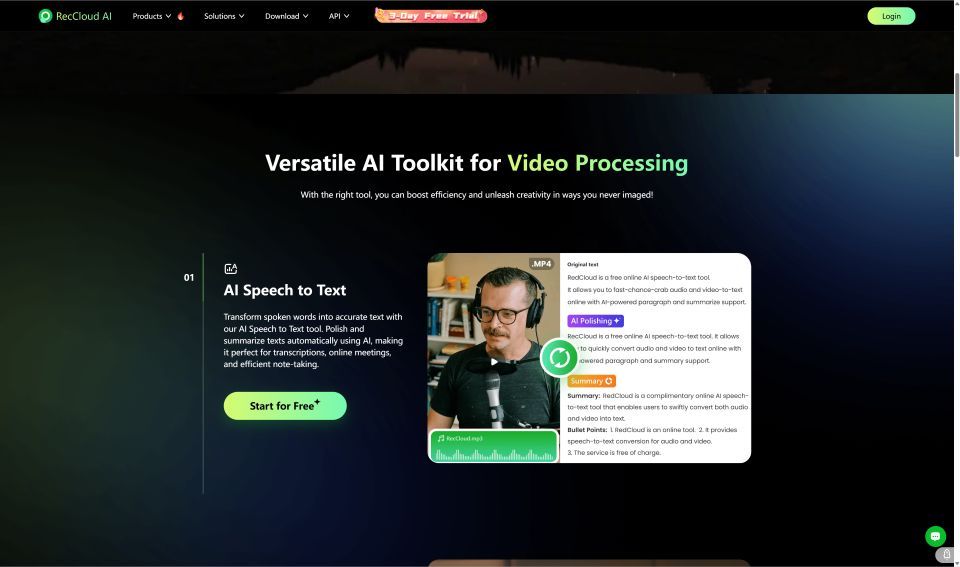
- AI Speech‑to‑Text – Convert spoken words from any audio or video into editable, searchable text with high accuracy, supporting multiple languages and speaker diarisation.
- AI Text‑to‑Speech (Voice Generator) – Produce natural‑sounding speech in dozens of voices and languages; perfect for podcasts, e‑learning, and marketing videos.
- AI Subtitle Generator – Auto‑generate subtitles in the source language and translate them into over 30 target languages, improving accessibility and SEO.
- AI Video Translator – Translate entire video tracks while preserving timing and visual cues, enabling global distribution of content.
- AI Video/Audio Summarizer – Summarise long videos or meetings into concise highlights, ideal for quick reviews and social‑media clips.
- AI Video Generator – Turn plain text scripts into engaging video clips with AI‑generated visuals and voice‑overs.
- AI Vocal Remover – Isolate vocals from music tracks to create instrumentals for remixing or karaoke.
- Cross‑Platform – Works on desktop, Android, and iOS; also offers an API for developers to integrate the technology into their own apps.
Use Cases
- Educators & Students – Quickly transcribe lectures, generate subtitles for online courses, and create multilingual study material.
- Content Creators – Produce voice‑overs, subtitles, and translated versions of YouTube videos without hiring external talent.
- Businesses – Automate meeting minutes, generate training videos, and localise marketing assets for global audiences.
- Developers – Use the RecCloud API to embed speech‑to‑text, TTS, and translation capabilities into SaaS platforms.
Frequently Asked Questions
Q: How accurate is the speech‑to‑text transcription? A: RecCloud uses large‑scale transformer models fine‑tuned on diverse datasets, delivering >95% word‑error‑rate (WER) on clear audio and robust performance on noisy recordings.
Q: Can I edit the generated subtitles? A: Yes, the subtitle editor lets you adjust timing, correct text, and export in SRT, VTT, or embedded formats.
Q: Is there a free tier? A: A 3‑day free trial is available with limited minutes per tool; paid plans unlock unlimited usage and higher‑speed processing.
Q: Does the service store my media? A: All uploads are encrypted in transit and at rest; files are automatically deleted after processing unless you choose to save them in your account.
Getting Started
- Visit reccloud.com and click "Get Started Free".
- Choose the tool you need (e.g., Speech‑to‑Text, Voice Generator).
- Upload your audio/video or paste your script.
- Review, edit, and download the output in your preferred format.
RecCloud AI empowers anyone—from students to enterprises—to create, edit, and distribute high‑quality audio‑visual content with the power of AI.