timeMaster
Privacy‑first macOS app that automatically tracks, categorizes, and analyzes your computer usage to boost focus and productivity.
Introduction
timeMaster – AI‑Powered Productivity Assistant
timeMaster is a macOS‑only productivity suite that runs silently in the background, automatically logging every second you spend on apps, websites, and projects. Built with a privacy‑first mindset, all data stays local, encrypted on your device, and never leaves your machine. The app combines AI‑driven analytics with a clean UI to give you actionable insights, helping you work smarter, avoid burnout, and reclaim focus.
Key Features
- Fully Automatic Time Tracking – No manual timers. timeMaster detects active windows, categorizes activities, and tags projects in real‑time.
- AI‑Generated Summaries – After each work session, the AI creates concise, human‑readable summaries of what you accomplished.
- Privacy‑First Architecture – All data is stored locally, encrypted at rest, and only the app title is read (no content or keystrokes).
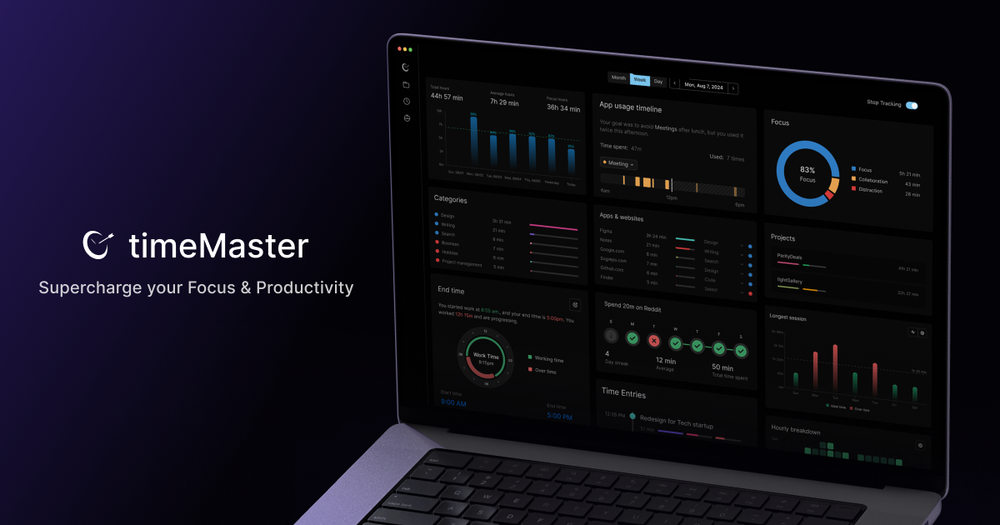
- Focus & Distraction Metrics – Visualize peak productivity hours, identify top distractions, and see a focus score for each session.
- Pomodoro Timer – Structured work‑sprint mode with post‑session analytics on focus and interruptions.
- Goal Setting & Tracking – Define daily, weekly, or monthly work‑hour goals, set limits on app usage, and receive over‑working notifications.
- Weekly & Monthly Reports – Export detailed PDFs or view interactive dashboards that break down time spent per project, app, and category.
- Project Detection – The AI automatically creates a new project when you switch contexts, eliminating manual bookkeeping.
- Quick‑View Toolbar – Glance at today’s totals directly from the macOS menu bar.
- Customizable Breaks & No‑Activity Days – Schedule automatic breaks and designate days where certain apps are blocked.
Use Cases
| User | How timeMaster Helps |
|---|---|
| Freelancers | Auto‑track billable hours per client without manual timers, generate invoices from logs. |
| Remote Workers | Identify when you’re most productive, set focus windows, and avoid over‑working. |
| Students | Monitor study sessions, use Pomodoro mode, and see which subjects consume the most time. |
| Team Leads | Export team‑wide reports (via shared CSV) to understand workload distribution. |
Frequently Asked Questions
Q: Does timeMaster collect any data online? A: No. All logs are stored locally on your Mac and encrypted. The only network calls are for optional update checks.
Q: Is there a Windows version? A: Currently only macOS (Intel & Apple Silicon) is supported. A Windows version is planned for a future release.
Q: Can I export my data? A: Yes – CSV, JSON, and PDF exports are available for any time range.
Q: How does the AI summarizer work without sending data to the cloud? A: The summarizer runs on‑device using a lightweight language model bundled with the app, ensuring privacy.
Q: What if I want to disable a specific feature? A: Every major module (Pomodoro, Goal tracking, Distraction alerts) can be toggled in Settings.
Getting Started
- Download the app from the website (Intel & Apple Silicon builds).
- Install and grant Accessibility permissions so timeMaster can read active windows.
- Configure your privacy settings – choose local‑only storage and enable encryption.
- Start working – the app will begin tracking automatically.
- Review daily dashboards via the menu‑bar widget or open the full analytics dashboard.
With timeMaster, you get a seamless blend of AI insight and strict privacy, turning raw screen time into meaningful productivity data.
Ready to supercharge your focus? Download now.